How FocusTrack works

From signup to payroll, every step stays clear

Set up your organization, invite your team, track work through the desktop app, review productivity, receive reports, and process payroll from reliable time records.

Set the foundation

01

Create your organization account

Start by setting up the company workspace where your teams, projects, time policies, screenshots, reports, and payroll settings will live.

  • Add company details and timezone
  • Choose work-hour and idle-time policies
  • Create projects on Advance and Premium
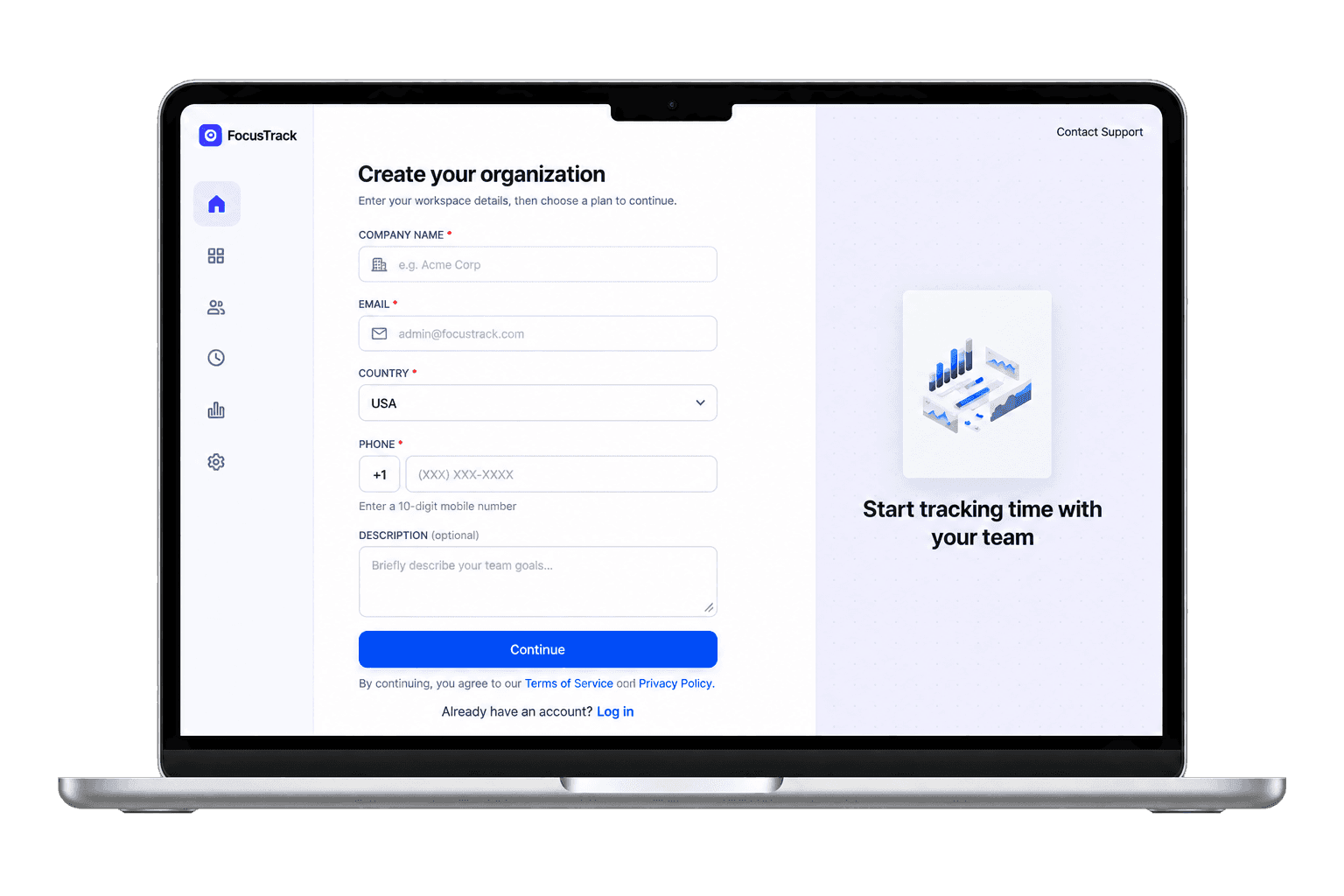
Organization setup preview

Bring people in

02

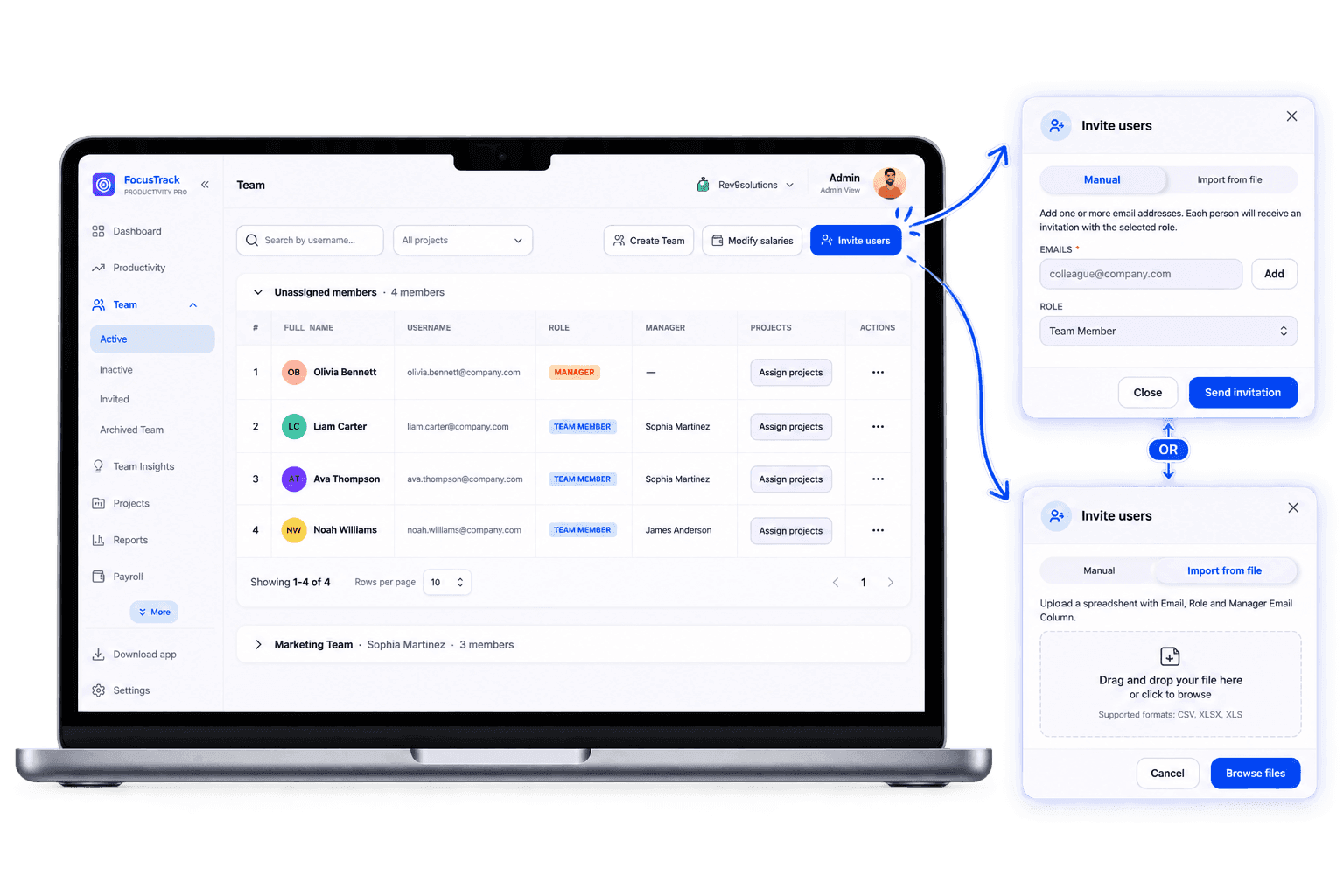
Invite your team members

Add employees, contractors, or virtual assistants. Every plan can invite members. Admin and Manager roles, and project assignment, start on Advance.

  • Invite people by email on every plan
  • Admin and Manager roles start on Advance
  • Keep tracking rules visible to everyone
Team invite preview

Track work clearly

03

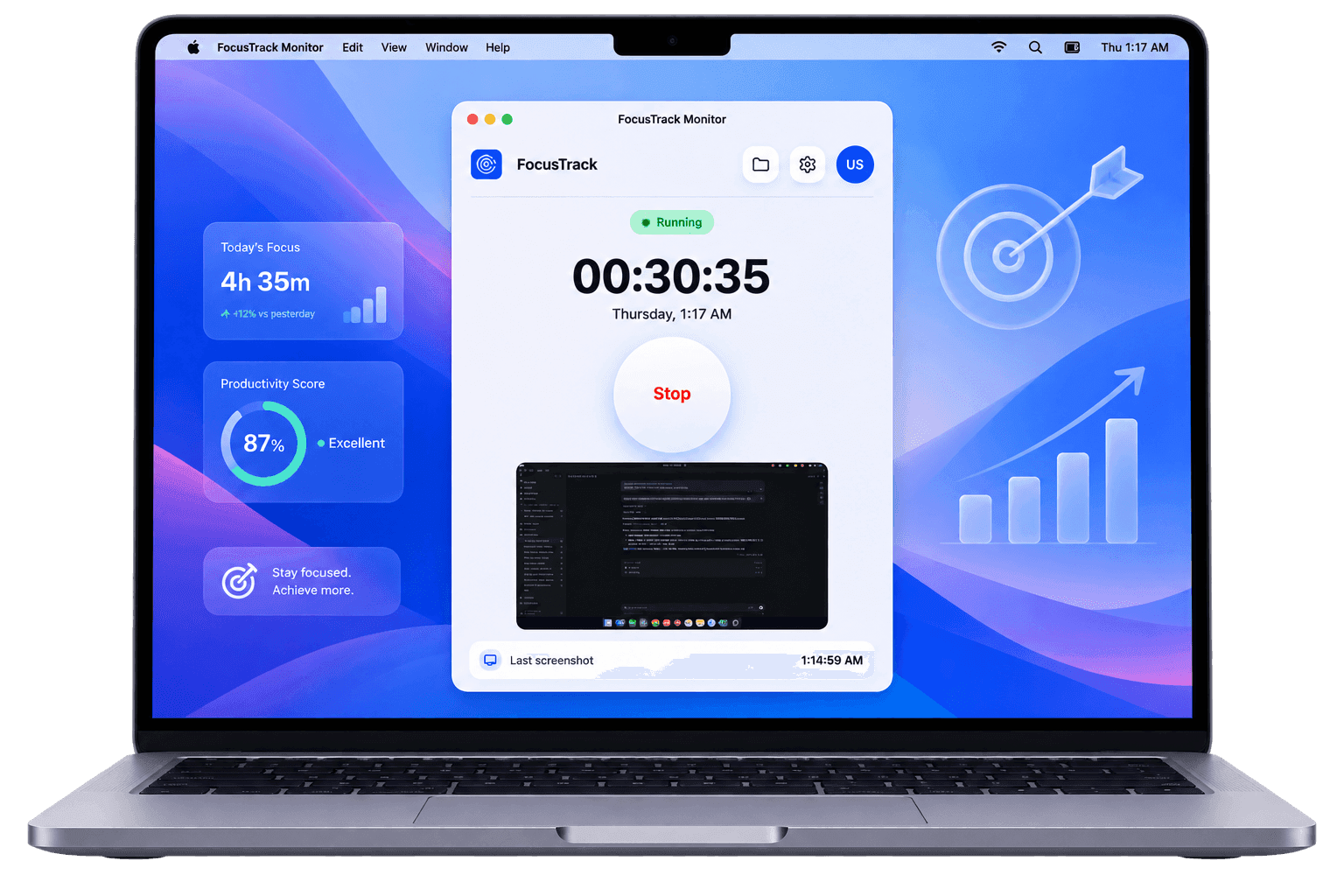
Download the desktop app and start tracking time

Team members use the desktop app to start and stop a timer. Tracking that time against an assigned project starts on Advance.

  • Start and stop a timer on every plan
  • Track time against assigned projects on Advance and Premium
  • Use clear start, pause, and stop controls
Desktop app tracking preview

Understand the workday

04

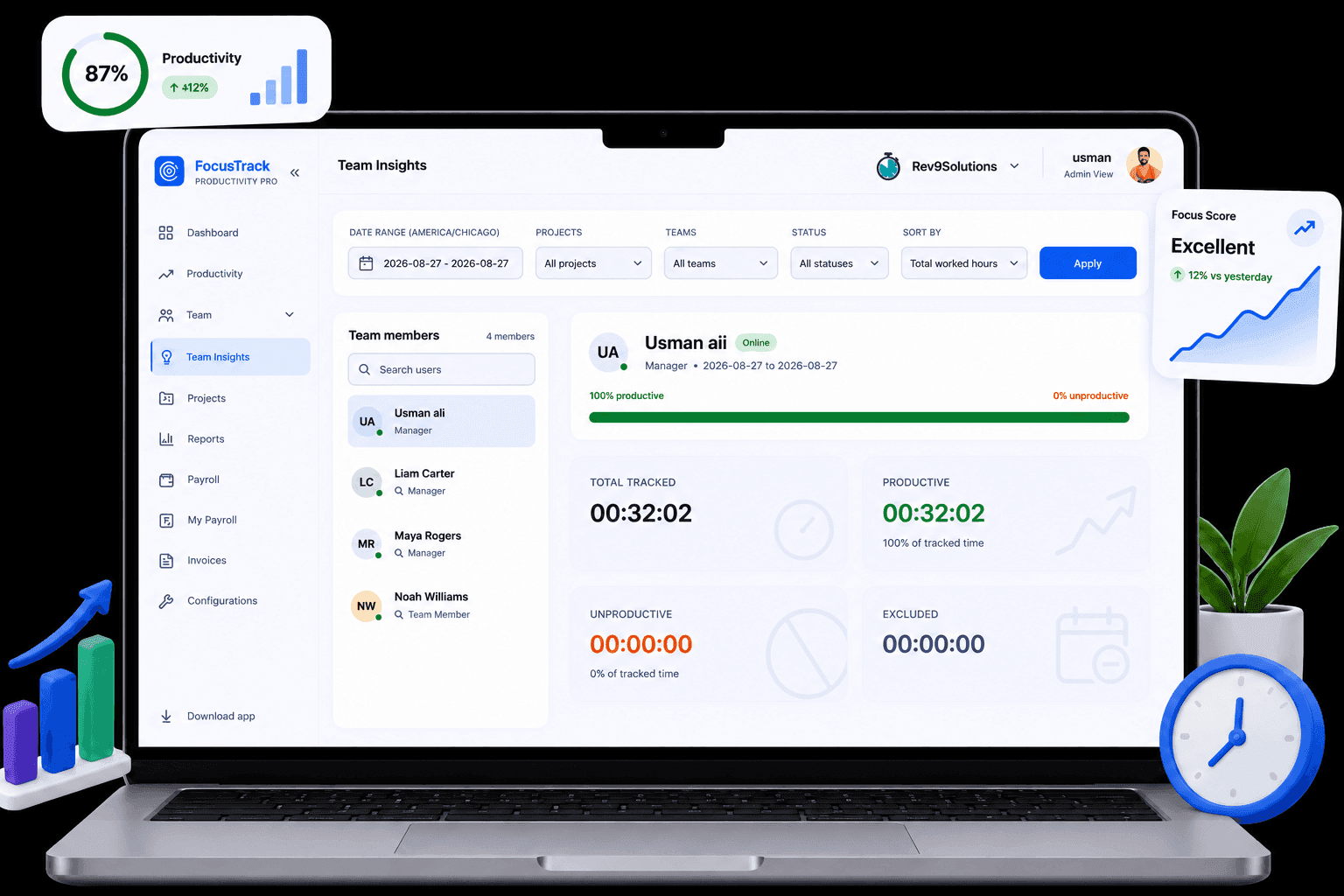
Measure team productivity with transparent rules

FocusTrack turns time, activity, and optional screenshots into practical productivity context that leaders and teams can both understand.

  • Review activity and focus trends
  • Use policy-based productivity scoring
  • Spot blockers without micromanaging
Productivity monitoring preview

Stay review-ready

05

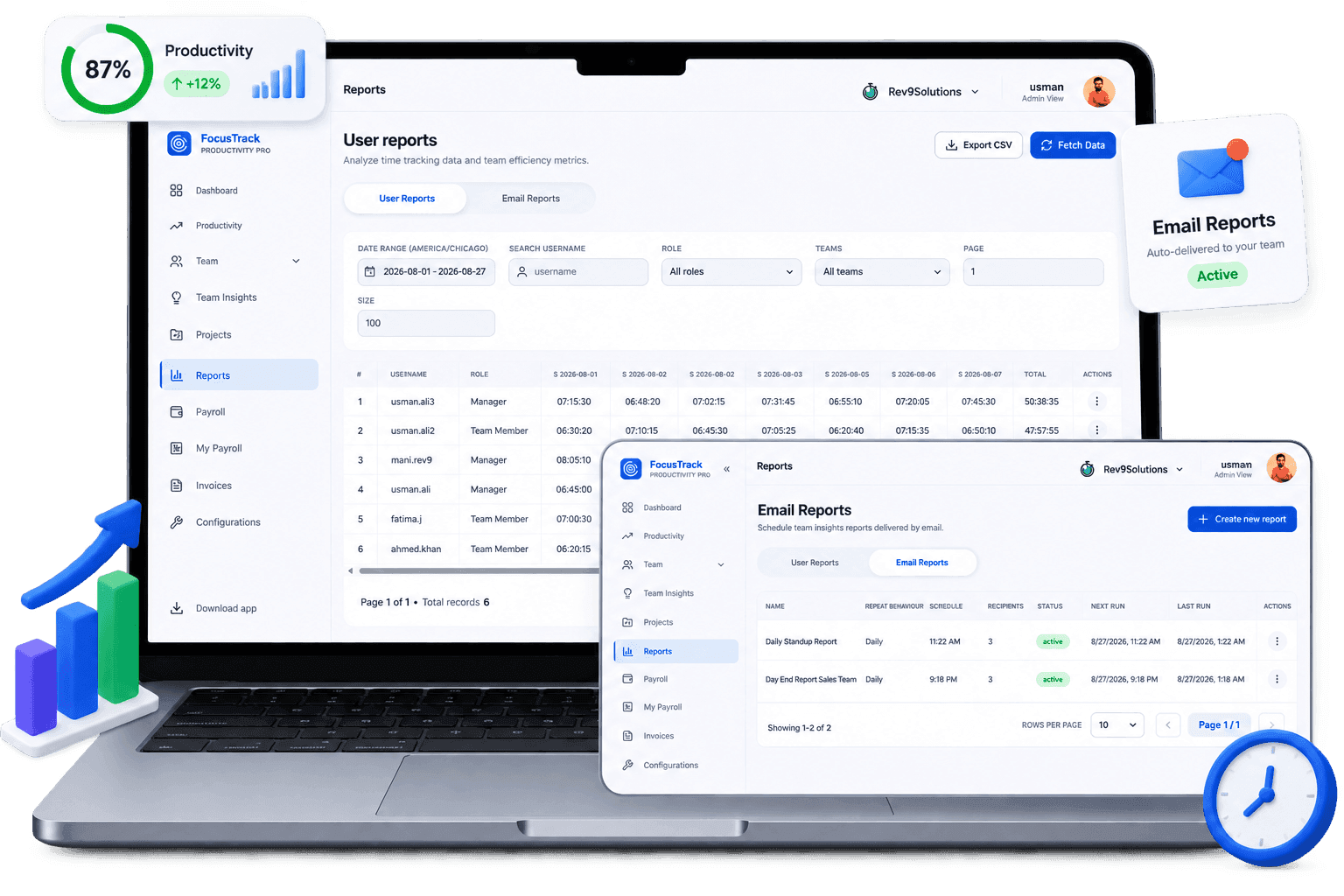
Generate daily and weekly reports

Team Insights is included on every plan. The Reports module, CSV export, and scheduled email reports start on Advance.

  • Team Insights on every plan
  • Scheduled email reports on Advance and Premium
  • Useful records for reviews and clients
Reports preview

Close the loop

06

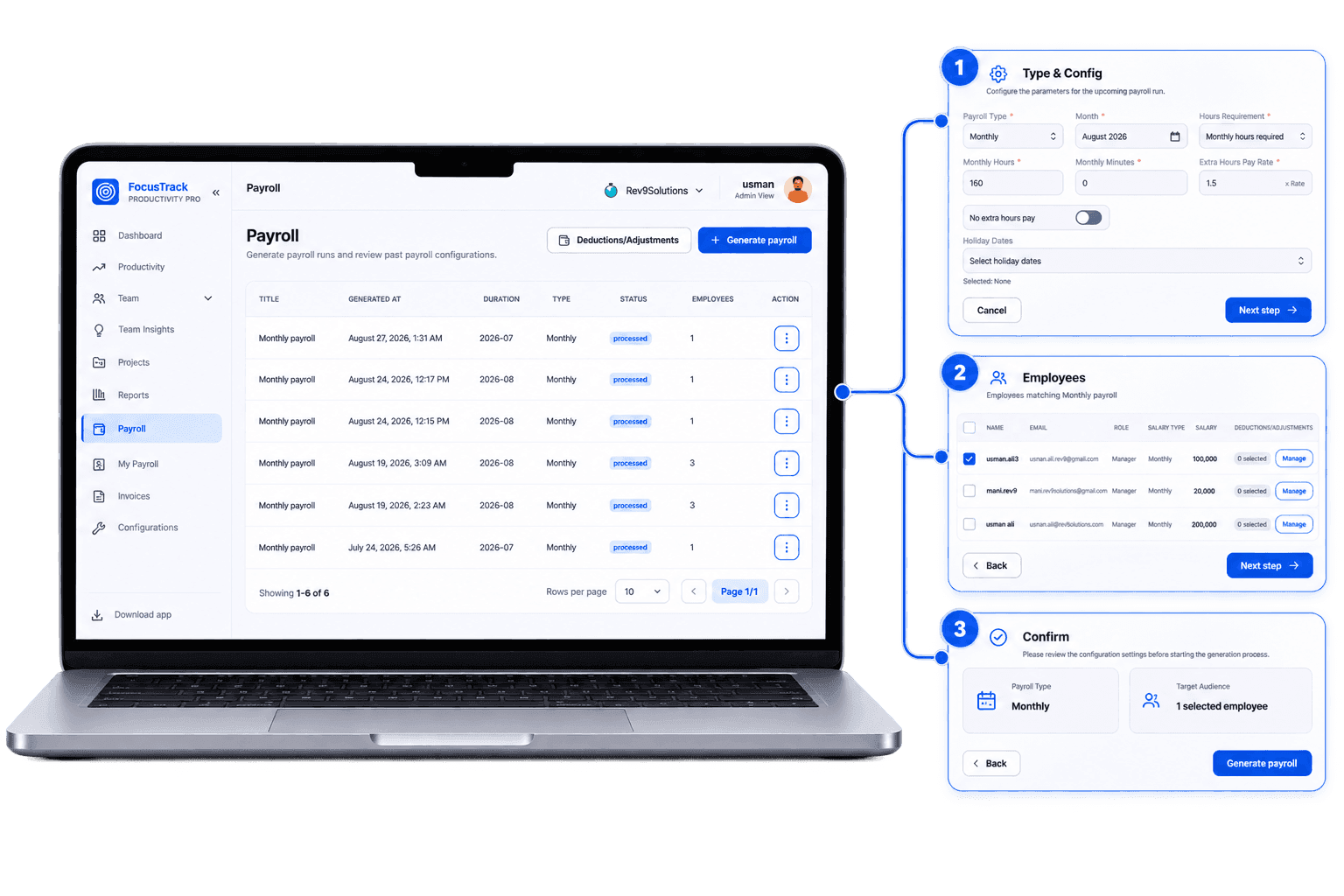
Process payroll from tracked hours

On Advance and Premium, use tracked time to prepare payroll. Payroll is not included on Basic.

  • Calculate payroll from tracked hours
  • Reduce manual reconciliation
  • Keep payroll tied to real work records
Payroll preview

Ready to give your team the clarity it deserves?

Start a free trial or book a short demo. Every plan includes a 30-day free trial.

START FREE TRIAL
How It Works | FocusTrack